Assign PTWs to the right authority for review and signature
Link PTWs to worker wallets to authorize who can work
Full audit trail of every step (assignments, signatures, changes)
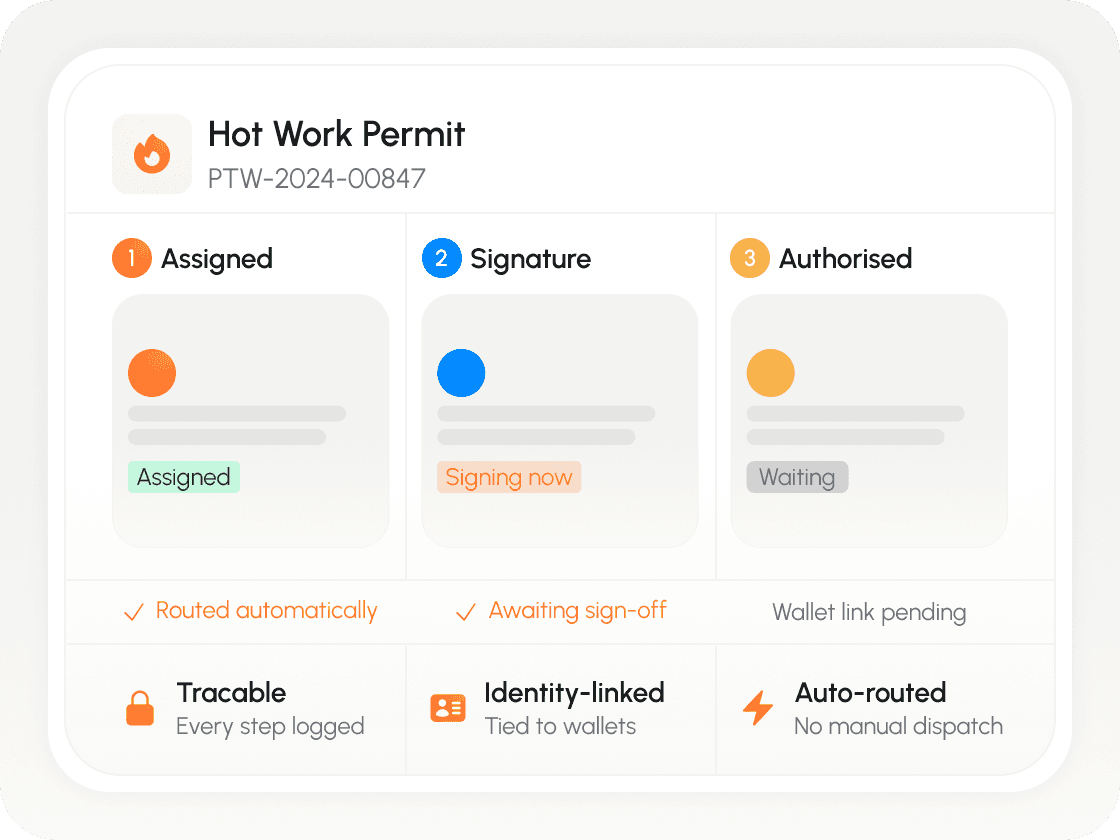
PTW delays aren’t paperwork problems — they’re workflow problems
When PTWs live in PDFs, WhatsApp threads, and email chains, permits get stuck waiting for the right person, signatures are hard to track, and work gets assigned without clear authorization.
“Waiting for signatures” delays work
Work stops because the paper permit is sitting on a desk waiting for the right signature.
“Unclear authorization” increases risk
Work is assigned to workers who don't have the specific credentials or briefing required.
“Weak traceability” creates audit exposure
Work is assigned to workers who don't have the specific credentials or briefing required.
Nashid digitizes the entire PTW lifecycle
PTWs become structured workflows: assign → review → sign → authorize workers → audit.
Routing & Assignment
PTWs are automatically routed to the right authority based on rules (area, role, permit type).
Digital Signatures & Traceability
Approvers sign digitally, and the system logs who signed what and when.
Worker Authorization via Wallets
Once signed, the PTW is assigned to the approved workers — tied to their identity wallets.
The PTW flow in Nashid
PTWs become structured workflows: assign → review → sign → authorize workers → audit.
PTW created (scope, location, requirements)
Created
PTW assigned to the right authority
Assigned
Reviewed & signed digitally
Signed
Workers assigned by selecting the correct wallets
Authorized
Work status tracked (optional status updates)
Active
Audit log generated automatically
Closed
Every step is logged — assignments, signatures, edits, and worker authorization
PTW is only as strong as who it’s assigned to
Nashid links PTWs to identity wallets — ensuring permits are signed by the right authority and assigned to the right workers, with clear accountability.
PTW tied to approver identity
How PTW automation works in Nashid
Nashid digitizes the full PTW flow — routing permits to the correct authority for review and signature, then assigning work to the approved workers — all tied to identity wallets.

Configure PTW roles, authorities, and signature path
Run a pilot on one permit type / one area
Expand to additional permit types + teams
See PTW automation in under 3 minutes.
Walk through how permits are routed, signed digitally, assigned to the right workers, and tracked with a full audit trail.
Want to digitize PTW without disrupting operations?
In 20 minutes, we’ll map your PTW approval chain and show how Nashid automates assignment, signatures, and worker authorization.